PhotoToFile Backup

Your photo library,
backed up as files.

Export full-resolution originals from Apple Photos to any folder or drive. Run it again anytime — photos you've already saved are skipped.

Download on the Mac App Store $2.99 · one-time · macOS 13+

Why plain files

Photos apps come and go.
Files are forever.

.heic · .jpg · .arw

Originals, untouched

Exports the exact original files — full resolution, original format, nothing re-compressed. What the camera saved is what lands in your folder.

re-run → skip

Incremental by default

Every export remembers what it saved. Run the same backup next month and only new or changed photos are written, so it finishes in moments.

0 bytes phoned home

Private by design

Everything happens on your Mac. No account, no analytics, no uploads — the app can't send your photos anywhere, only save them where you say.

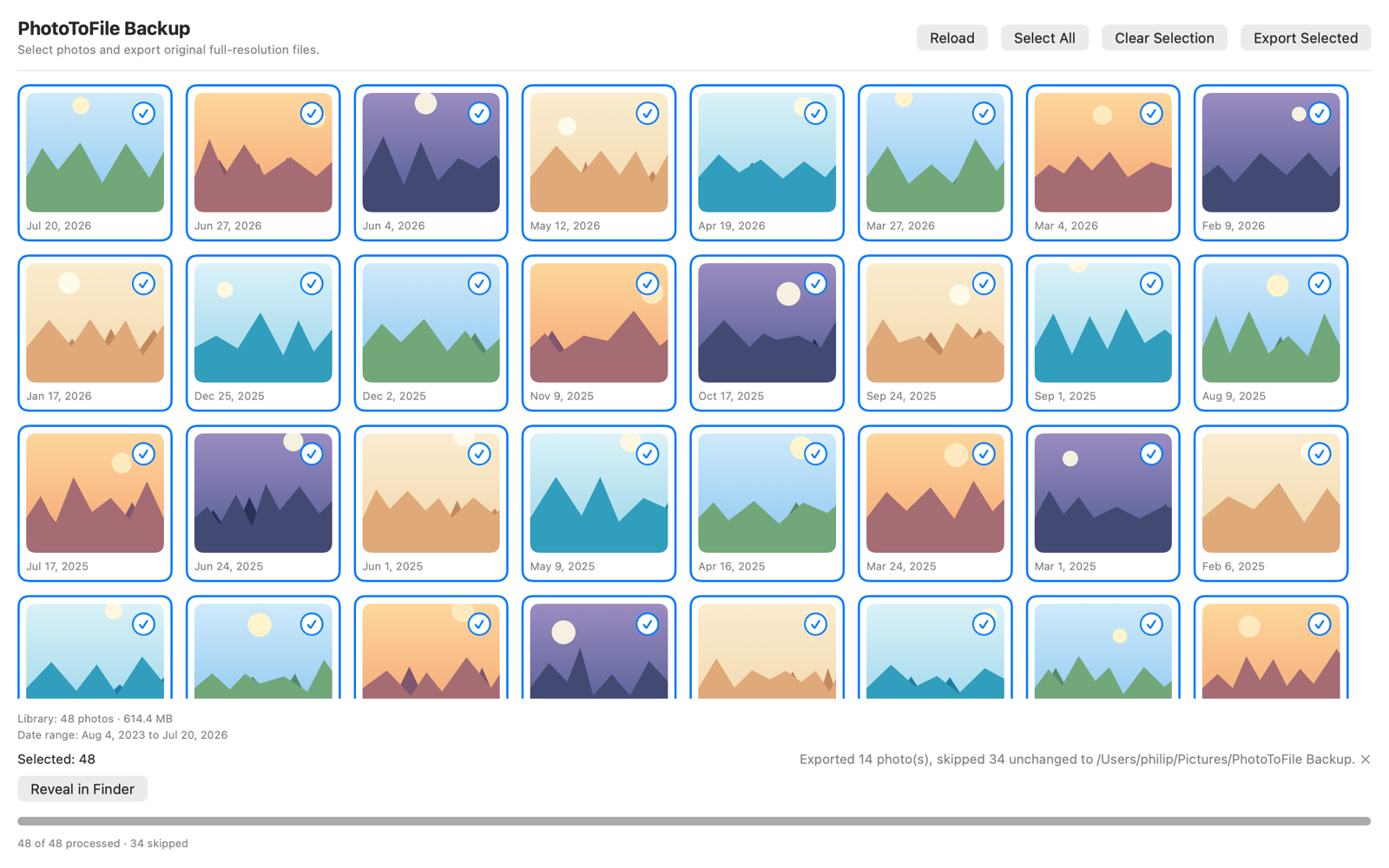
PhotoToFile Backup after a second backup run: 48 photos processed, 34 unchanged photos skipped
A second backup takes seconds — 34 unchanged photos skipped automatically.

How it works

Three steps, then it's routine.

1

Grant read access

PhotoToFile Backup asks macOS for read-only access to your photo library. It never changes or deletes anything in Photos.

2

Select your photos

Click, Shift-click, Command-click, or Select All — the same selection you already know from Finder.

3

Pick a folder, export

An external drive, a network volume, or any folder on your Mac. Your Mac stays awake until the backup finishes.

Download on the Mac App Store $2.99 · one-time · macOS 13+

No data collected. PhotoToFile Backup has no network features, no analytics, and no accounts. Your photos never leave your Mac unless you export them somewhere.

Read the privacy policy →